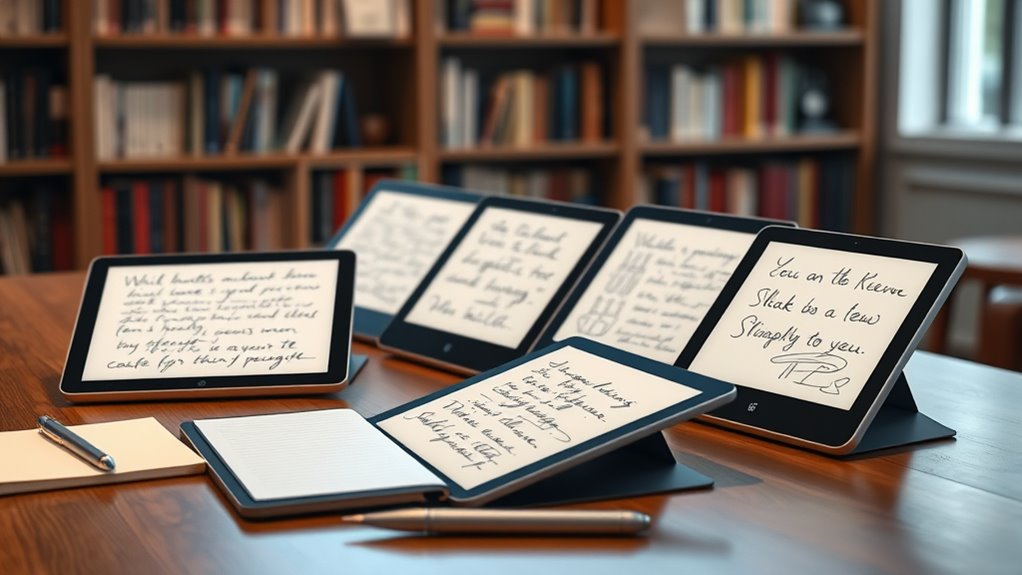

Choosing a premium E Ink tablet for note taking in 2026 means balancing display quality, functionality, and price. The Amazon Kindle Scribe stands out for its high-resolution display and AI tools, making it ideal for those who prioritize a natural writing feel combined with smart organization. The BOOX Note Air 5 offers a color E Ink experience and Android support, perfect for users who want a versatile device capable of running third-party apps. Meanwhile, the reMarkable Paper Pro provides a large, paper-like color display optimized for creative note taking and reading, though at a higher price. Each of these picks caters to a slightly different user, with important tradeoffs in refresh rates, color vibrancy, and ecosystem compatibility.

Get beauty and skincare favorites delivered free with Prime
- Fast, free delivery on millions of items
- Prime Video, Amazon Music and more included
- Member-only deals all year
Complete the kit


Key Takeaways
- The Kindle Scribe offers the best balance of display quality and AI features for note management.
- BOOX Note Air 5 excels with its color display and Android support, ideal for light productivity and multimedia.
- reMarkable Paper Pro provides a larger, color-rich screen with a paper-like feel, suited for creative and detailed notes.
- Tradeoffs include slower refresh rates on E Ink devices, limited color vibrancy, and varying ecosystem integrations.
- Your choice depends on whether you prioritize display clarity, color support, or ecosystem flexibility.
| Amazon Kindle Scribe (32GB) – Digital Notebook with Premium Pen and AI Tools |  | Best Overall Balance of Features and Usability | Display: 10.2-inch glare-free, 300 ppi front-lit | Storage Options: 16 GB, 32 GB, 64 GB | Weight: 15.3 oz | VIEW ON AMAZON | See Our Full Breakdown |
| BOOX Note Air 5 10.3-inch E Ink Color Tablet with Android 15 |  | Best for Color and App Flexibility | Display: 10.3-inch Kaleido 3 color E Ink, 2480 x 1860 B/W, 1240 x 930 color | Processor: Octa-core | RAM: 6GB | VIEW ON AMAZON | See Our Full Breakdown |
| reMarkable Paper Pro with Marker Plus and Basalt Book Folio |  | Best Large Color E Ink for Creative Work | Display Size: 11.8 inches | Display Type: Color e-ink | Included Components: Marker Plus, spare tips, folio | VIEW ON AMAZON | See Our Full Breakdown |
| reMarkable Paper Pure with Marker Plus and Mist Green Sleeve Folio |  | Best for Black-and-White Note Taking | Display Size: 10.3 inches | Display Type: E-Ink | Color: Black and White | VIEW ON AMAZON | See Our Full Breakdown |
| reMarkable Paper Pro with Marker Plus |  | Best Portable Creative Note Taker | Display: 11.8-inch Canvas Color e-ink | Included Components: Marker Plus, USB-C | Model Year: 2024 | VIEW ON AMAZON | See Our Full Breakdown |
| premium eink tablets for note taking | Connectivity | Display | Warranty |
|---|---|---|---|
| Amazon Kindle Scribe | Wi-Fi 5, Bluetooth 5.2 | 10.2-inch glare-free, 300 ppi front-lit | — |
| BOOX Note Air 5 10.3-inch E In | Wi-Fi, Bluetooth 5.1 | 10.3-inch Kaleido 3 color E Ink, 2480 x 1860 B/W, 1240 x 930 color | — |
| reMarkable Paper Pro with Mark | USB Type C | — | 1-Year Limited |
| reMarkable Paper Pure with Mar | USB Type C | — | 1-year limited |
| reMarkable Paper Pro with Mark | USB-C, Wi-Fi, Bluetooth | 11.8-inch Canvas Color e-ink | 1-year limited |
More Details on Our Top Picks
Amazon Kindle Scribe (32GB) – Digital Notebook with Premium Pen and AI Tools
The Kindle Scribe stands out for offering a high-resolution 10.2-inch glare-free display that makes reading and writing comfortable over long sessions. Its built-in AI tools assist with note organization and editing, making it a practical choice for those who want a device that doubles as a digital notebook and reading companion. Compared to the reMarkable Paper Pro, it offers a more integrated AI experience, though it relies on a slightly smaller display and lacks the vibrant color options of the reMarkable Pro. The device’s long battery life—up to 12 weeks for reading—means less frequent charging, but as a refurbished product, it may come with packaging that isn’t as premium. Wi-Fi-only connectivity limits some cloud features, which could be a drawback for users seeking seamless integration across devices.
Pros:- High-resolution glare-free display ideal for reading and writing
- Built-in AI tools for note summarization and editing
- Long battery life lasting weeks
- Includes a Premium Pen that feels natural to write with
Cons:- Refurbished device may come in generic packaging
- Limited to Wi-Fi connectivity, no cellular option
- Requires setup and charging before use
Best for: Users who want a versatile note-taking device with AI features and excellent display clarity.
Not ideal for: People who need color support or prefer cellular connectivity for on-the-go use.
- Display:10.2-inch glare-free, 300 ppi front-lit
- Storage Options:16 GB, 32 GB, 64 GB
- Weight:15.3 oz
- Dimensions:7.7 x 9.0 x 0.22 inches
- Connectivity:Wi-Fi 5, Bluetooth 5.2
- Battery Life:Up to 12 weeks for reading
Our verdict“A well-rounded choice for those seeking a premium, AI-enhanced note-taking experience with solid display quality.”
BOOX Note Air 5 10.3-inch E Ink Color Tablet with Android 15
The BOOX Note Air 5 provides a 10.3-inch Kaleido 3 color E Ink display that supports reading, note-taking, and light multimedia tasks. Its Android 15 operating system allows installation of third-party apps, making it highly versatile for users who want more than just a digital notebook. The device’s high-resolution color display is a boon for visual content, but color E Ink inherently struggles with vibrancy and brightness compared to LCDs. Refresh rates are slower, which may hinder animation-heavy or fast-paced content. Its 6GB RAM and 64GB storage ensure smooth multitasking and ample space for documents. While it excels in app flexibility, the slower refresh rate means it’s less suited for fast sketching or quick note edits, compared to traditional tablets.
Pros:- High-resolution color E Ink display suitable for versatile reading and note-taking
- Runs on Android 15 with support for third-party apps
- Includes stylus with pressure sensitivity
- Multiple connectivity options including microSD slot
Cons:- Color E Ink displays have inherent limitations, resulting in darker or grayer tones
- Slower refresh rates compared to LCDs
- Color accuracy and vibrancy are limited
Best for: Creative users who want a color E Ink device with app support for note-taking and light media work.
Not ideal for: Those seeking vibrant color or fast refresh rates for detailed drawing or animation.
- Display:10.3-inch Kaleido 3 color E Ink, 2480 x 1860 B/W, 1240 x 930 color
- Processor:Octa-core
- RAM:6GB
- Storage:64GB
- Connectivity:Wi-Fi, Bluetooth 5.1
- Battery:3,700mAh
Our verdict“A flexible device suited for creative note-takers who value color support and Android app compatibility, despite slower refresh rates.”
reMarkable Paper Pro with Marker Plus and Basalt Book Folio
The reMarkable Paper Pro offers an 11.8-inch color e-ink display that mimics paper, making it ideal for drawing, detailed note-taking, and reading. Its adjustable reading light allows use in various lighting conditions, and the large screen provides ample space for sketches or extensive notes. Unlike smaller devices, it’s tailored for creative professionals who need a larger canvas. Its color display, while limited compared to LCDs, offers enough vibrancy for visual notes and diagrams. The device’s organization tools—folders, tags, and PDF annotation—add to its productivity appeal. However, its high price could be a barrier, and it’s not designed for heavy app use or multimedia playback, focusing instead on a paper-like experience.
Pros:- Large 11.8-inch color display with paper-like writing feel
- Adjustable reading light for comfortable use day or night
- Includes accessories like Marker Plus, spare tips, and protective folio
- Organizes notes with folders, tags, and PDF annotations
Cons:- High price may be prohibitive for some
- Limited to digital note-taking and reading, not a full tablet
- Battery life specifics are not detailed
Best for: Creative professionals and educators seeking a large, color-rich device for detailed notes and sketches.
Not ideal for: Users who want a multi-purpose tablet with extensive app support or vibrant color displays.
- Display Size:11.8 inches
- Display Type:Color e-ink
- Included Components:Marker Plus, spare tips, folio
- Connectivity:USB Type C
- Warranty:1-Year Limited
Our verdict“An excellent choice for those needing a large, color-accurate device for creative and organized note-taking, at a premium price.”
reMarkable Paper Pure with Marker Plus and Mist Green Sleeve Folio
The reMarkable Paper Pure emphasizes a high-contrast black-and-white E Ink display, offering a fast, paper-like writing experience optimized for note taking, reading, and reviewing documents. Its 10.3-inch screen supports handwriting-to-text conversion, and seamless cloud integration makes it easy to organize and share notes. While it lacks color, its simplicity and speed make it appealing for users who prefer a distraction-free environment focused on clarity and quick edits. The device’s compact size and lightweight design enhance portability, but it may fall short for users wanting vibrant visuals or multimedia features. Price details are not specified, but its focus on core note-taking functions makes it a strong contender for minimalist digital notebooks.
Pros:- High-contrast, fast-refresh e-ink display enhances writing and reading
- Supports handwriting conversion to text
- Seamless cloud integration for easy organization
- Lightweight and portable
Cons:- Limited to black-and-white display, not suitable for color content
- Requires familiarity with digital note-taking tools
- Price not specified, which may be a consideration
Best for: Teachers, students, and professionals seeking a fast, reliable black-and-white device for focused note-taking.
Not ideal for: Those needing color support or multimedia capabilities for creative projects.
- Display Size:10.3 inches
- Display Type:E-Ink
- Color:Black and White
- Connectivity:USB Type C
- Warranty:1-year limited
Our verdict“An efficient, focused device for black-and-white note taking, ideal for users who prioritize speed and clarity over color.”
reMarkable Paper Pro with Marker Plus
The reMarkable Paper Pro features an 11.8-inch color e-ink display that closely mimics paper, making it suitable for drawing, detailed notes, and creative projects. Its lightweight, portable design, combined with an adjustable reading light, helps users work comfortably in various environments. The device’s stylus, Marker Plus, offers precise control, erasing, and includes spare tips, making it suitable for professionals and creatives. However, its e-ink technology limits vibrant colors and fast refresh rates, which can affect animation or rapid sketching. The absence of detailed battery life or weight figures suggests it’s focused more on a paper-like experience than multimedia capabilities. This pick suits users who want a dedicated, portable device for creative note-taking and visual organization.
Pros:- Color e-ink display provides a paper-like writing experience
- Adjustable reading light for various lighting conditions
- Includes a precise, responsive Marker Plus pen
- Lightweight and portable
Cons:- Limited to e-ink technology, which doesn’t support vibrant colors or fast refresh
- No detailed battery or weight info
- Price details are not given
Best for: Creative professionals, educators, and students who need a portable, large, color-friendly device for detailed notes and sketches.
Not ideal for: Users seeking vibrant multimedia or fast-paced animation support in a tablet.
- Display:11.8-inch Canvas Color e-ink
- Included Components:Marker Plus, USB-C
- Model Year:2024
- Connectivity:USB-C, Wi-Fi, Bluetooth
- Warranty:1-year limited
Our verdict“A top choice for portable, creative note-taking with color support, prioritizing a natural writing feel over vibrancy and speed.”

How We Picked
Our selection process focused on premium E Ink tablets that excel in note-taking, reading, and light productivity. We evaluated display quality, stylus responsiveness, ecosystem support, and overall build quality. Devices were compared based on their ability to replicate paper-like writing, support for third-party apps, and battery life. We prioritized devices that balance hardware features with software enhancements, ensuring they cater to serious note-takers and creative users alike. Price and user interface also played key roles, as did the availability of accessories like cases and additional stylus tips.
| premium eink tablets for note taking | Connectivity |
|---|---|
| Amazon Kindle Scribe | Wi-Fi 5, Bluetooth 5.2 |
| BOOX Note Air 5 10.3-inch E In | Wi-Fi, Bluetooth 5.1 |
| reMarkable Paper Pro with Mark | USB Type C |
| reMarkable Paper Pure with Mar | USB Type C |
| reMarkable Paper Pro with Mark | USB-C, Wi-Fi, Bluetooth |
Factors to Consider When Choosing Premium Eink Tablets For Note Taking
Selecting the right premium E Ink tablet for note taking in 2026 involves understanding your primary needs—whether it’s display quality, color support, app flexibility, or portability. Each device in this roundup offers unique strengths tailored to different types of users, from casual readers to creative professionals. To make an informed choice, consider how important factors like refresh rate, ecosystem compatibility, and screen size are for your workflow.Display Quality and Size
The core of any note-taking device is its display. Larger screens, such as the 11.8-inch reMarkable Paper Pro, provide ample space for sketches and detailed notes, but can be less portable. The 10.2-inch Kindle Scribe balances size with portability and offers a high-resolution glare-free screen, ideal for both reading and writing. Color displays, like the reMarkable Paper Pro or BOOX Note Air 5, add visual versatility but come with inherent limitations in vibrancy and refresh speed, affecting usability for fast sketching or animation. Consider whether you prioritize a paper-like experience or a vibrant color palette for your tasks.
Color Support and Multimedia
If vibrant visuals or multimedia support are important, the BOOX Note Air 5 and reMarkable Paper Pro are compelling options. The BOOX’s color Kaleido 3 display enables visual content, but with darker tones and slower refresh, making it less suitable for rapid drawing. The reMarkable Paper Pro’s color display is designed for creative work, but the overall vibrancy is limited compared to LCD screens. For purely monochrome note-taking or reading, the reMarkable Paper Pure excels with fast, high-contrast black-and-white display.
Ecosystem and Compatibility
Consider how seamlessly your device integrates with your existing tools. The Kindle Scribe offers a simple ecosystem focused on Amazon’s content and AI features, ideal for readers and casual note-takers. The BOOX Note Air 5’s Android system supports third-party apps, offering more flexibility for productivity and multimedia. The reMarkable devices emphasize organized note-taking and cloud integration, appealing for users who want a distraction-free environment or detailed organization tools. Your workflow should guide your choice based on app support and cloud compatibility.
Portability and Battery Life
Most premium E Ink tablets prioritize long battery life—often lasting weeks on a single charge—making them excellent for on-the-go use. Devices like the Kindle Scribe and reMarkable Paper Pure are lightweight and portable, suitable for daily carry. The larger reMarkable Paper Pro, while portable for its size, may be bulkier and heavier, influencing how often you’ll want to take it on the go. Battery life varies based on display size and usage patterns; models with faster-refresh screens or color displays may consume more power, so consider your typical usage duration.
Frequently Asked Questions
Are E Ink tablets suitable for detailed note-taking?
Yes, especially models with larger screens like the reMarkable Paper Pro or the reMarkable Paper Pro with Marker Plus. They provide a paper-like writing experience, and their organizing tools make managing detailed notes or sketches straightforward. However, slower refresh rates may affect the ease of rapid edits or sketching compared to traditional tablets with LCD screens.
Can I use these tablets for reading e-books?
Absolutely. All the devices in this roundup support popular formats like EPUB, PDF, and MOBI. The Kindle Scribe, in particular, is optimized for reading Amazon content, while the reMarkable models excel at PDF annotations. The BOOX Note Air 5 supports a broad range of formats and third-party apps, making it versatile for reading across platforms.
Do color E Ink tablets support vibrant visuals?
Color E Ink displays, such as the Kaleido 3 in the BOOX Note Air 5 and the reMarkable Paper Pro, offer a significant upgrade over monochrome screens but still lag behind LCDs in vibrancy and brightness. They are suitable for visual notes and diagrams but aren’t ideal for high-fidelity color work or multimedia consumption.
Which device offers the best stylus experience?
All devices included come with styluses designed for precision and natural writing. The reMarkable models, especially with the Marker Plus, are renowned for their responsiveness and paper-like feel. The Kindle Scribe’s Premium Pen also provides a smooth writing experience, making it suitable for extended writing sessions. Your choice depends on whether you prefer a more traditional pen feel or advanced pressure sensitivity.
How important is app support for these devices?
App support varies significantly. The BOOX Note Air 5’s Android system allows installing third-party productivity apps, making it the most flexible for multitasking. The Kindle Scribe’s ecosystem is more closed but integrates well with Amazon content and AI tools. The reMarkable devices focus on a streamlined experience for note-taking and PDF management, with limited app support but robust cloud integration. Consider your workflow and whether app flexibility is a priority.
Conclusion
For users seeking a high-quality, versatile device with AI features and excellent display clarity, the Kindle Scribe is the best fit. Creative professionals and those wanting a large, color-rich canvas will prefer the reMarkable Paper Pro. Meanwhile, the BOOX Note Air 5 strikes a balance for tech-savvy users who want app flexibility and color support. Budget-conscious buyers should note that these devices come at a premium, but their specialized features justify the cost for serious note-taking and reading workflows.
Halloween Picks
halloween
As an affiliate, we earn on qualifying purchases.